What does it cost to charge your EV?
Four questions about where you live and how you drive. Then we work out the yearly cost of every charging solution in Denmark – with your own grid company's tariff.
- 1Home
- 2Charger
- 3Driving
- 4Habits
Where is the car parked at night?
Do you already have a charger at home?
Are there chargers in your parking area?
Are there ordinary chargers within walking distance?
How much do you drive?
How much do you charge away from home?
How much do you rapid charge?
When do you charge at home?
More details pay-as-you-go vs subscription, chart, tables and your own meter data
Pay-as-you-go, subscription or all inclusive?
Yearly cost by mileage
More details share away, write-off, electricity tax
The Danish electricity tax (elafgift) has been cut to almost zero in 2026 and 2027. From 2028 it rises again by about 0.90 DKK/kWh incl. VAT. That does not apply to electricity you charge through a home charger with a tax refund (until the end of 2030).
Use your own meter data optional, via Eloverblik
Eloverblik is Energinet's portal for your own electricity data. With it we look up your grid company, electric heating, solar panels and your EV charging instead of guessing.
- Log in to eloverblik.dk with MitID (Danish digital ID).
- Open the menu (☰ top right) and choose API-adgang (API access). Don't choose Datadeling (data sharing); that is for sharing your data with another person.
- Tap + Opret token (create token), give it a name (e.g. "Elmer"), tap Opret (create) and copy the token. If Eloverblik asks whether your CPR number may be used, say yes. This only happens the first time.
- Paste it here and tap Fetch my data.
Your data stays with you. Your browser fetches the figures directly from Energinet; they are not sent to us and are not stored. The token is forgotten when you close the page. You can delete the token again on eloverblik.dk under API-adgang.
All home charging solutions
| Provider | Solution | Fixed | Home charger | Electricity at home | Away | Total per year | DKK/kWh |
|---|
Chargers within walking distance
| Provider | Data | Median | Cheapest | Chargers | With price | Per month |
|---|
Rapid charging: all subscriptions and providers
| Provider | Option | Fixed/month | DKK/kWh | Per month | Chargers near you |
|---|
Rapid chargers, cheapest first
The pay-as-you-go price, converted into one price per kWh for a 40 kWh charge so you can compare. The figure is the median of the provider's rapid chargers.
Source: the providers' AFIR data via Dataudveksleren (the Danish Road Directorate) and the providers' own price lists. The price at the charger applies. Small and regional providers are listed under Providers.
What does electricity cost at home?
Spot price, grid tariff, Energinet, electricity tax and VAT – hour by hour. At night, electricity costs less than half as much as at 5–9 pm.
All figures time of day and season, in DKK/kWh
| Time | Season | Spot price | Grid tariff | Energinet | Electricity tax | Total |
|---|
Find the EV that suits you
All EVs with a Danish price. Cost per month, realistic range and charging time – and what it costs compared with petrol and diesel.
More options mileage, home charging, price and brand
EV vs petrol, diesel and hybrid
How we calculated Table, sources and caveats
| Car | Price | Of which tax at purchase | Annual vehicle tax | Consumption | Energy per year | Per km |
|---|
Everything about charging an EV
From your first EV to holidays abroad. Guides, written without ads and updated with today's figures.
 Elmer for iPhone and CarPlay
Know the price before you drive.
Elmer shows the price at rapid chargers on one map and finds the cheapest charging stops for your car – on your phone and on the car's screen.
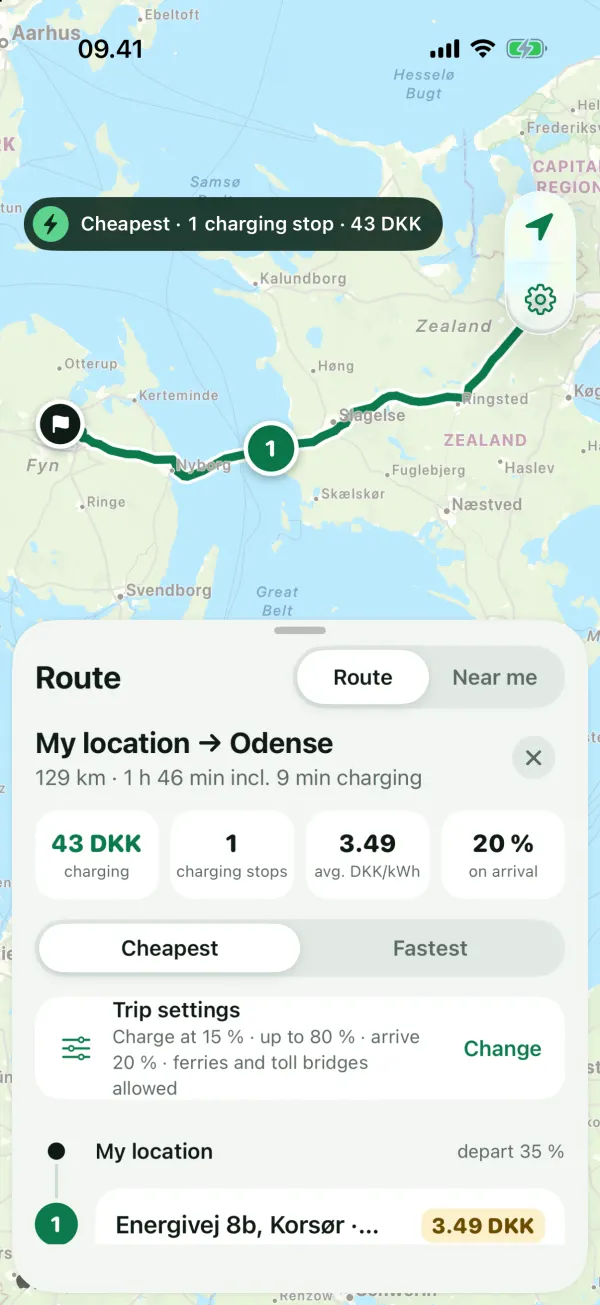
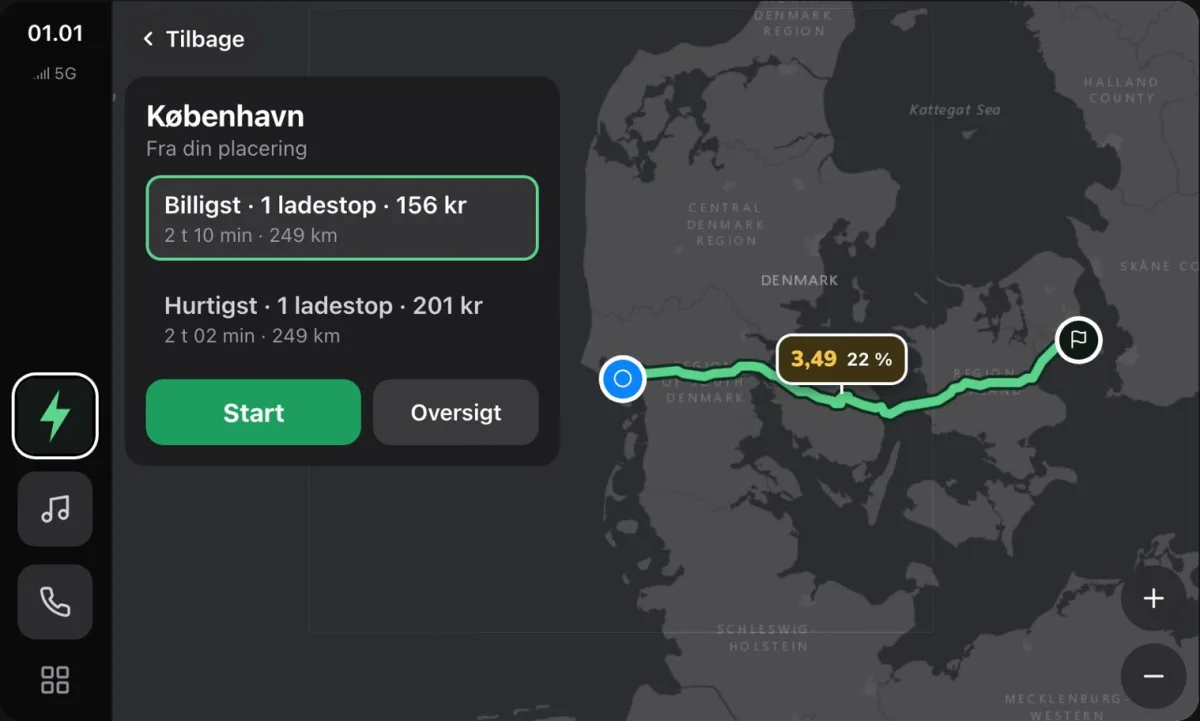
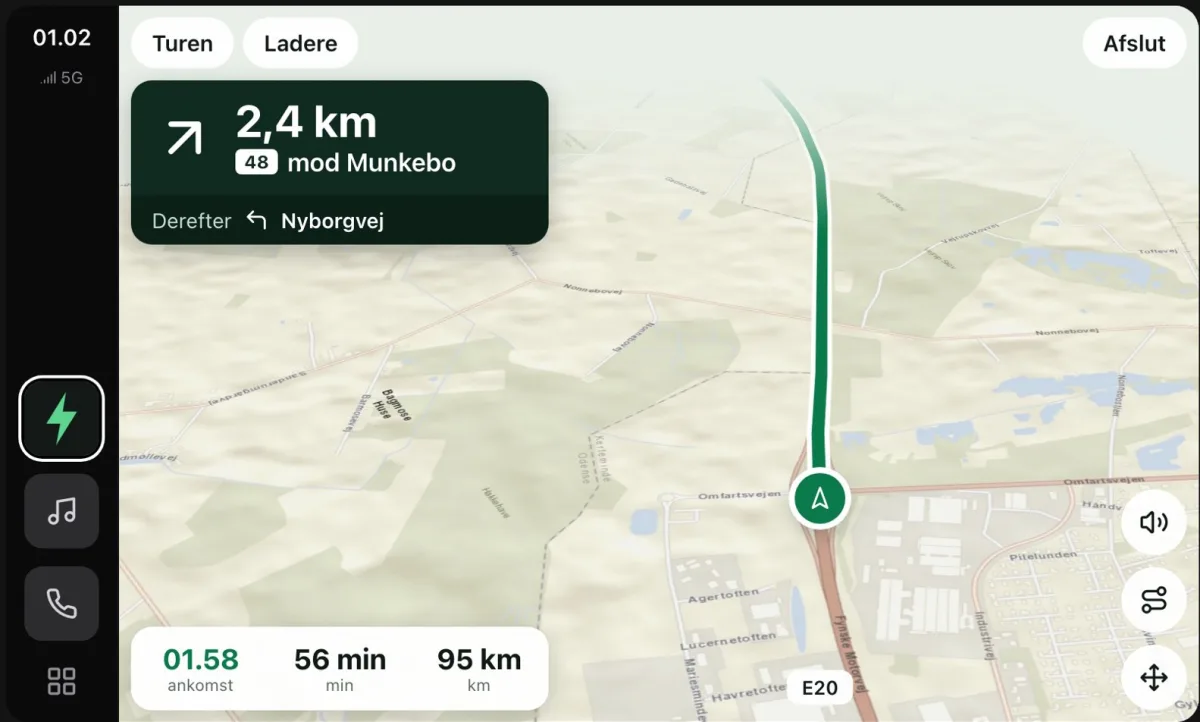
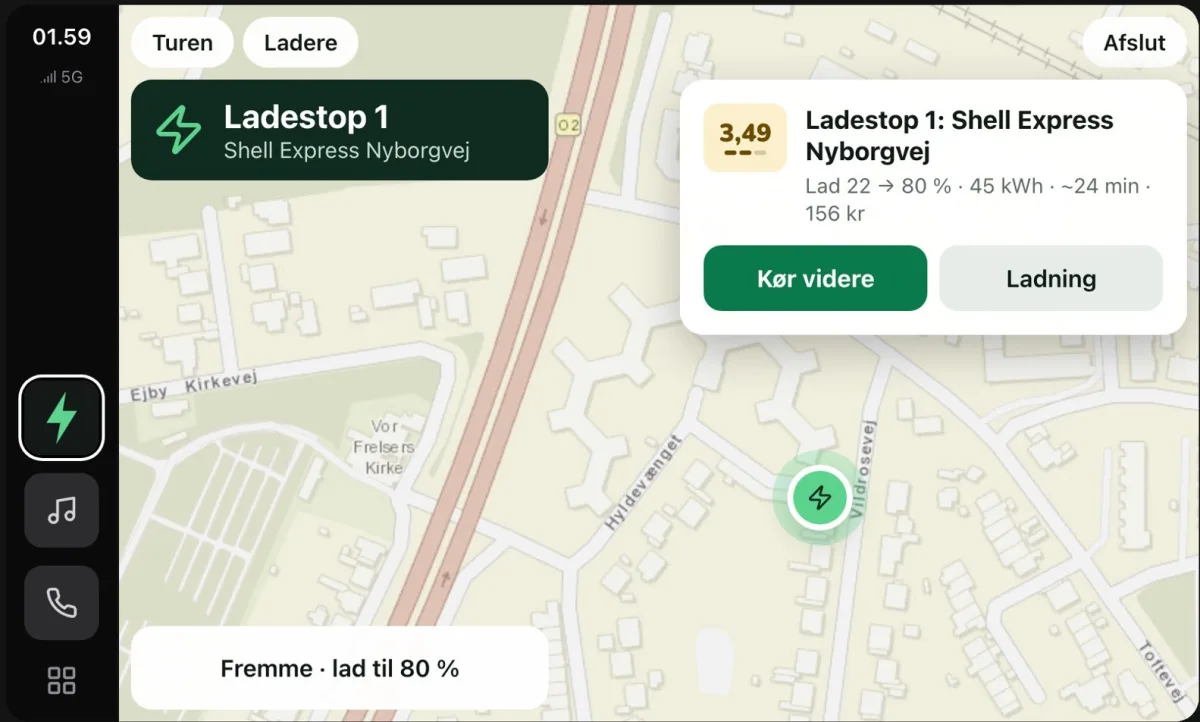
The charging plan on the car's screen.
Map, routes as complete charging plans with price and battery on arrival, guidance and available chargers. Pick the destination from your saved places and recent trips, or send the trip from your phone.
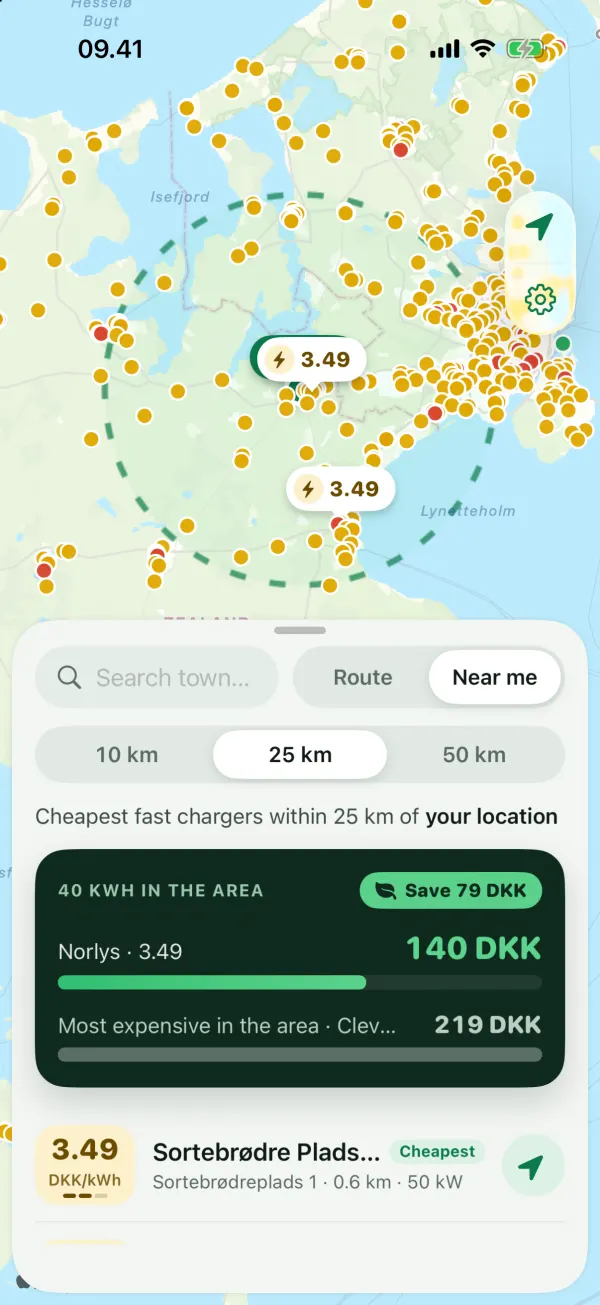
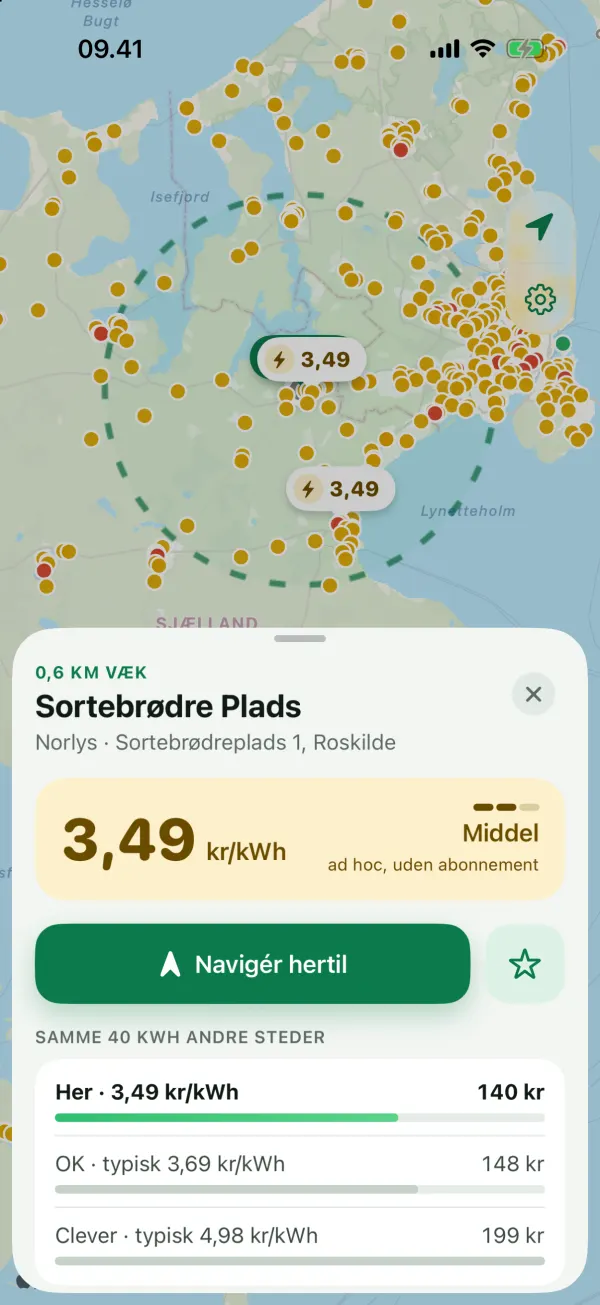
The cheapest rapid charger nearby
Open the app and you see the rapid chargers within 10, 25 or 50 km, cheapest first. Tap a charger and you see what the same charge costs at the other big providers.
- ✓Price per kWh without a subscription, worked out the same way for every provider
- ✓The colour shows whether the price is low, medium or high
- ✓How many chargers are free right now
- ✓Save a charger as a favourite, or hide it
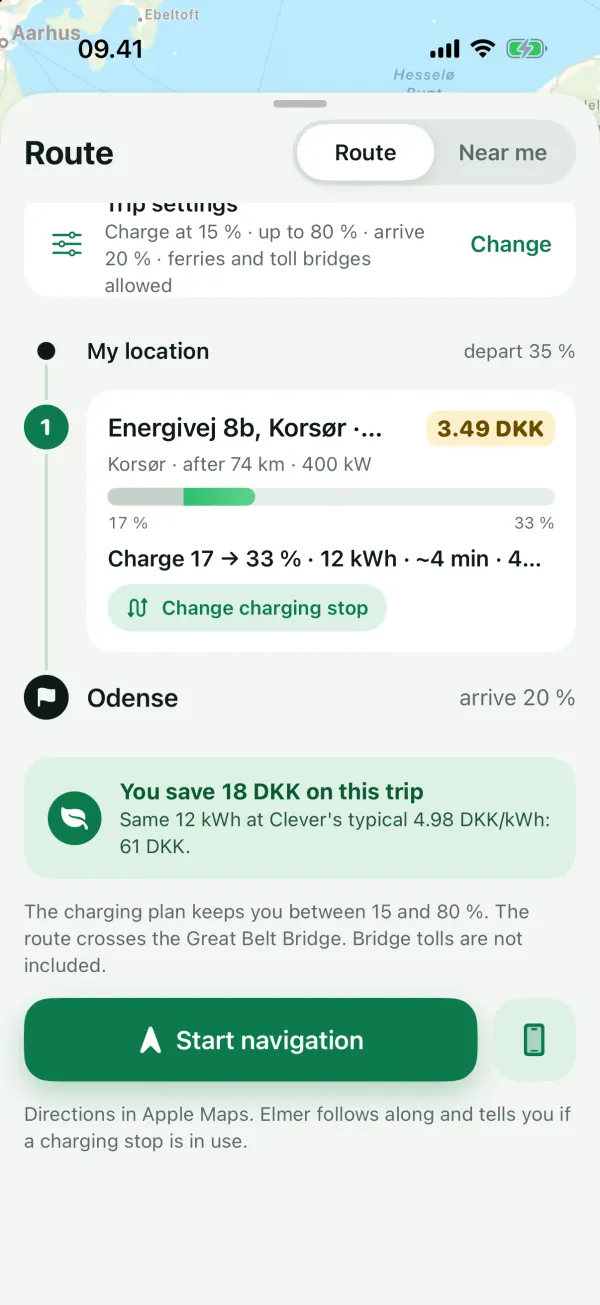
The cheapest charging stops on the whole trip
Choose your car, where you are going and how much charge you have. Elmer finds where to charge and how much, so the trip is as cheap as possible. Or as fast as possible, if you're in a hurry.
- ✓From what percentage to what, for how long and what it costs
- ✓Battery on arrival and free chargers at every stop
- ✓Via points and "Change charging stop"
- ✓Ferries and toll bridges can be avoided
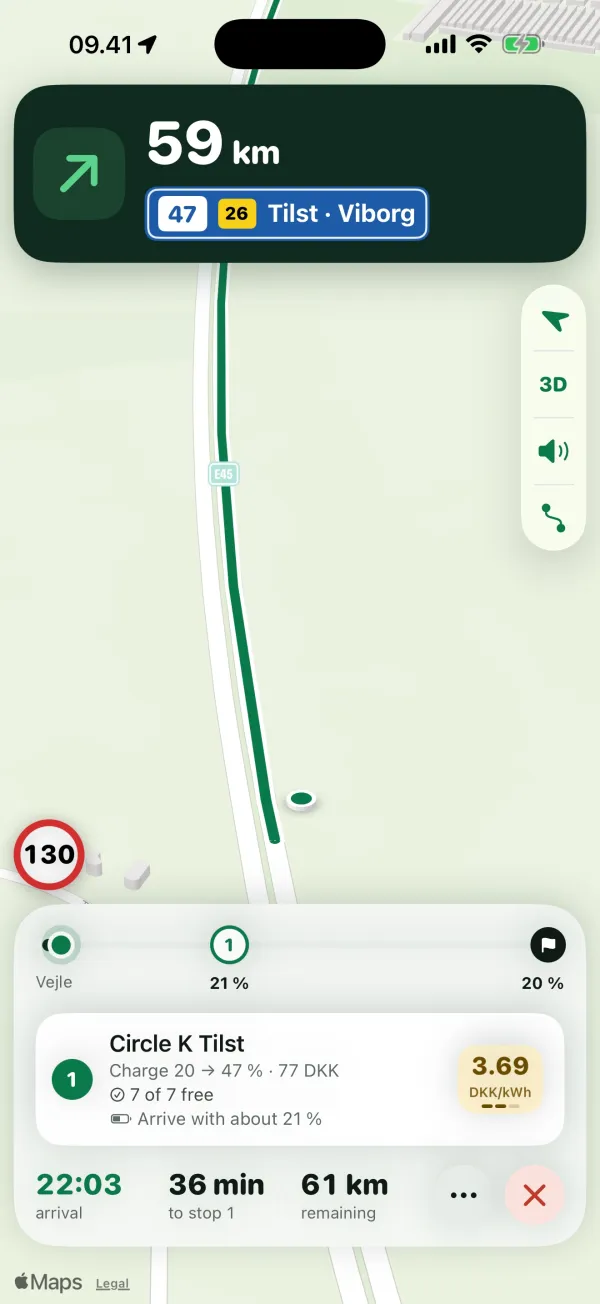
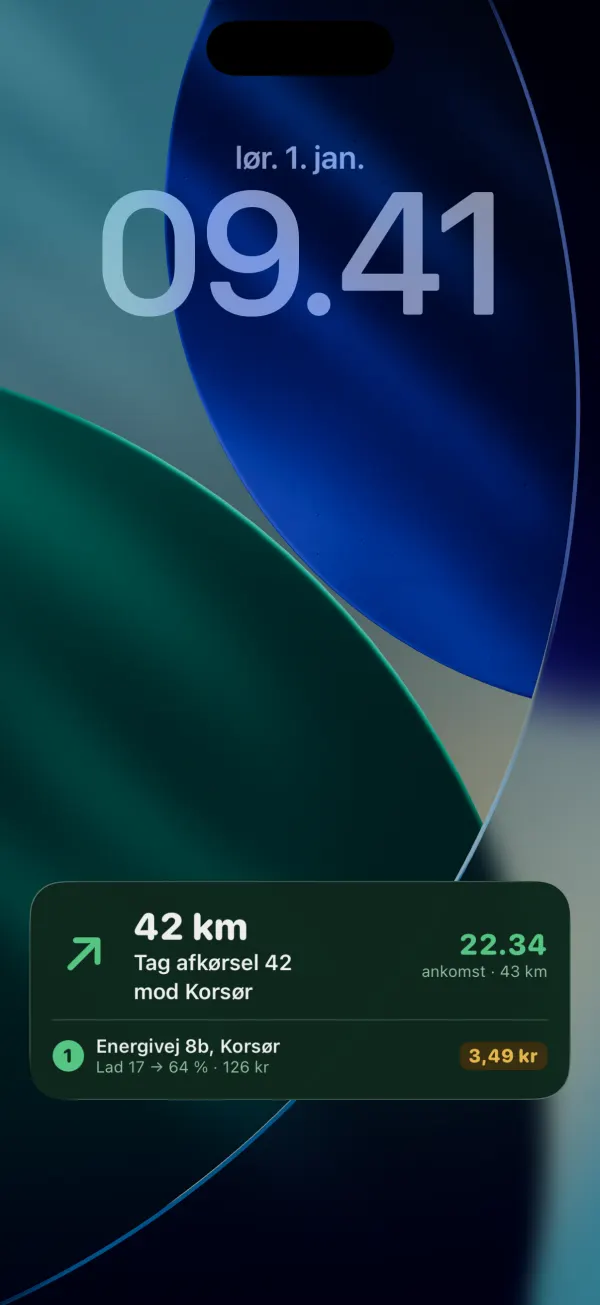
Directions that know your charging stops
Elmer guides you itself with exit signs, lanes and speed limits. Or send the trip with every charging stop to Apple Maps or Google Maps.
- ✓Next turn, arrival and charging stop on the lock screen and in the Dynamic Island
- ✓Traffic along the way and other routes when there is a queue
- ✓Busy or out of order? Elmer suggests a free charger nearby
- ✓Works with the screen locked too
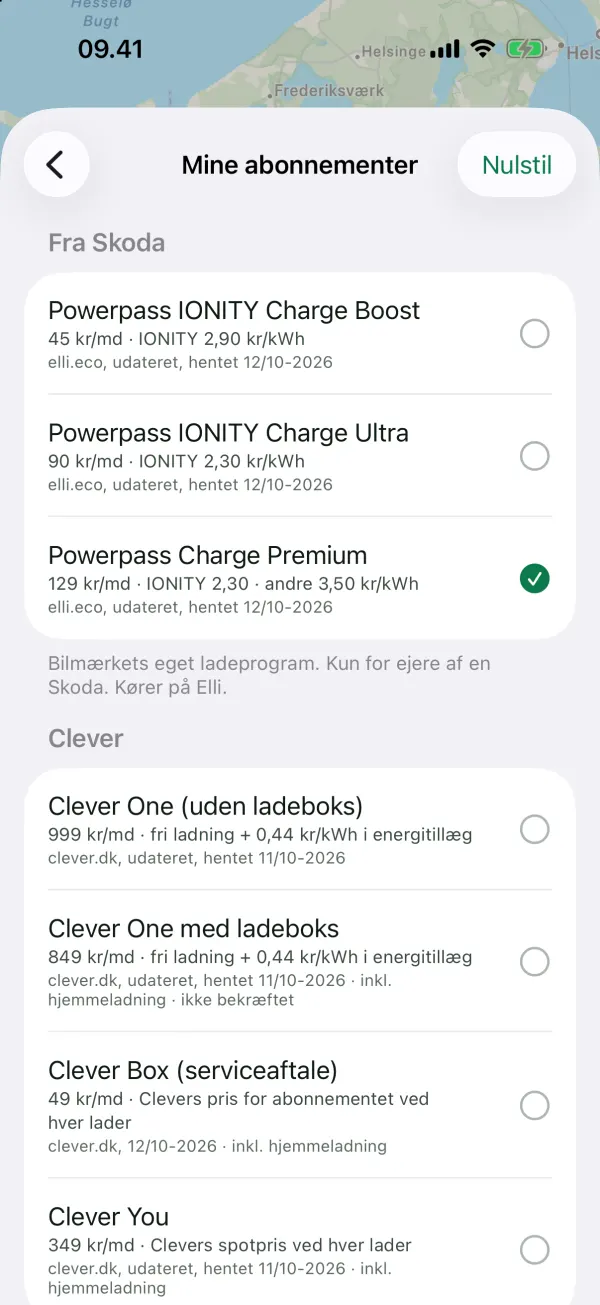
Your own price, with your charging cards
Choose the charging apps and subscriptions you have – also your car brand's charging programme. Elmer then shows your price at every charger and plans the trip with it.
- ✓Clever, OK, Norlys, IONITY and more
- ✓Car brands' programmes, such as Škoda, Kia and Mercedes
- ✓See whether a subscription pays off based on your own charging sessions
Your data stays on your phone
Elmer doesn't need to know who you are to find a cheap charger. The app only fetches prices and status from our server.
Read the privacy policy →Get ElmerFree for iPhone and CarPlay. Rapid charging from 2.09 DKK/kWh today.Questions and answers
What does the app cost?
Elmer is free. You pay for the electricity with the provider, as usual.
Where can I get it?
In the App Store for iPhone. Search for Elmer, or use the button on this page.
Which iPhone do I need?
The app needs iOS 26 or later.
Is Elmer available for Android?
Not yet. The Android version is coming later. Until then you can use the charging prices and the price guide here on the site.
Does it work in the car with CarPlay?
Yes. Apple has approved Elmer as a navigation app for CarPlay. You get the map, routes with charging stops, guidance and available chargers on the car's screen.
Which cars can I choose?
Over 700 EVs with battery, consumption, charging power and connector. Charging stops are worked out from your car's charging curve. If your car is missing, you can choose a typical EV.
Can I pay for charging in the app?
No. Elmer shows the price and the way. You start and pay for charging with the provider's app, charging card or a bank card at the charger.
Is the app available in English?
Yes. The app follows your phone's language and can be switched between English and Danish in Settings. The Elmer voice speaks Danish; in English the iPhone's own voice is used.